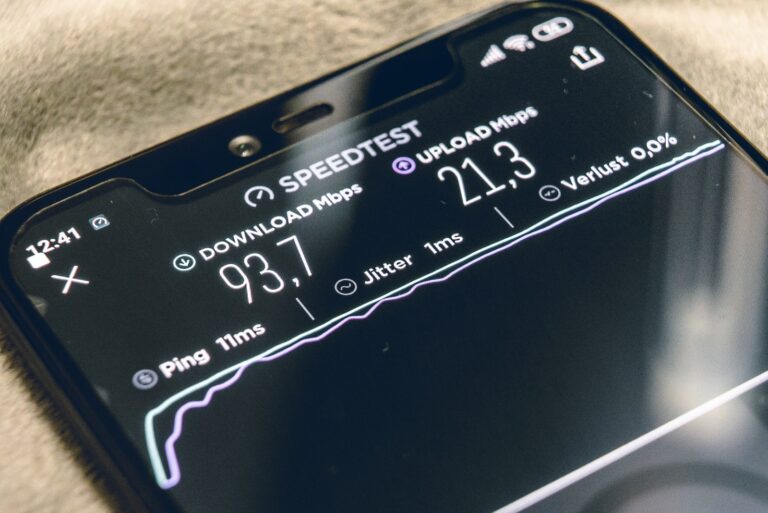
Connection Statistics Overview
| Issue Type | Percentage of Users Affected | Average Impact on Speed | Typical Resolution Time |
|---|---|---|---|
| Wi-Fi Interference | 45% | 30-50% reduction | 15-30 minutes |
| Outdated Router | 35% | 20-40% reduction | 1-2 hours |
| ISP Throttling | 25% | 40-60% reduction | Varies |
| Background Applications | 55% | 15-35% reduction | 5-10 minutes |
| Cable/Hardware Issues | 20% | 50-70% reduction | 30 minutes – 2 hours |
A stable internet connection has become essential for work, education, entertainment, and staying connected with others. Yet many people struggle with frustrating drops, slowdowns, and unreliable connectivity. Fortunately, most connection issues can be resolved with some straightforward troubleshooting and preventive measures.
Start with Your Router Position
The placement of your router significantly impacts signal strength throughout your home. Position your router in a central location, elevated off the floor, and away from walls or metal objects that can block signals. Avoid placing it near other electronics like microwaves, baby monitors, or cordless phones, which operate on similar frequencies and cause interference. If your home is large or has multiple floors, consider investing in a mesh Wi-Fi system or range extenders to eliminate dead zones.
Update Your Equipment Regularly
Outdated routers and modems often can’t handle modern internet speeds or the number of connected devices in today’s homes. If your router is more than three to five years old, upgrading to a newer model with the latest Wi-Fi standards can dramatically improve stability and speed. Additionally, regularly update your router’s firmware through its admin panel, as manufacturers release updates that fix bugs and enhance performance.
Manage Your Connected Devices
The average household now has dozens of devices connected to Wi-Fi simultaneously. Each device consumes bandwidth, and too many connections can overwhelm your network. Disconnect devices you’re not actively using, and prioritize bandwidth for critical activities through your router’s Quality of Service settings. This ensures video calls and work tasks get priority over background app updates or smart home devices.
Use Wired Connections When Possible
For stationary devices like desktop computers, gaming consoles, or smart TVs, ethernet cables provide significantly more stable connections than Wi-Fi. Wired connections eliminate interference issues, reduce latency, and provide consistent speeds. This also frees up wireless bandwidth for devices that must use Wi-Fi.
Secure Your Network
An unsecured network allows neighbors or strangers to piggyback on your connection, consuming your bandwidth and potentially slowing your speeds. Always use WPA3 encryption (or WPA2 if WPA3 isn’t available) and create a strong, unique password. Regularly review the list of connected devices in your router settings and remove any you don’t recognize.
Monitor Background Applications
Many applications run updates, backups, and syncing in the background without your knowledge. Cloud storage services, automatic updates, and streaming apps can consume substantial bandwidth. Check which applications are using your connection and schedule large downloads or backups for off-peak hours when you’re not actively using the internet.
Contact Your Internet Service Provider
If you’ve tried everything and still experience issues, the problem may lie with your ISP. Run speed tests at different times of day to document your actual speeds versus what you’re paying for. Contact your provider with this information, as they may need to address issues with your line, send a technician, or upgrade your service. Sometimes the issue is congestion in your area, which may require infrastructure improvements from your ISP.
Stabilizing your internet connection usually requires a combination of these approaches. Start with the simplest solutions first, and work your way through more complex fixes as needed. A reliable connection is worth the effort invested in troubleshooting.