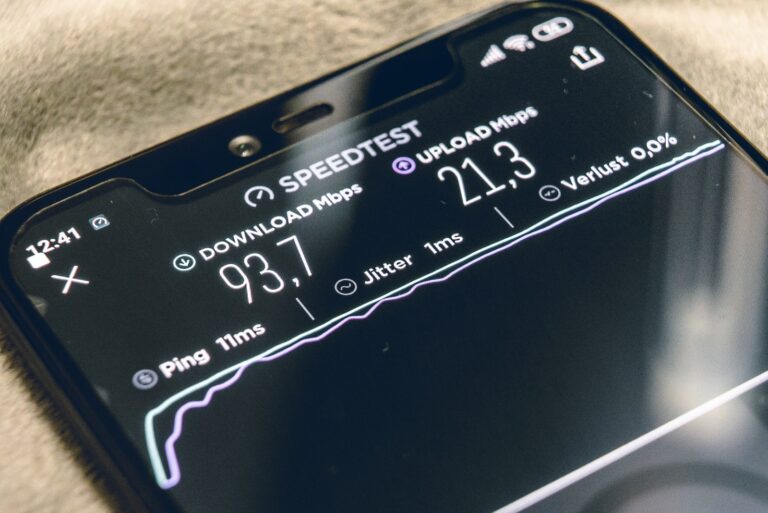
-
Use trusted tools like speedtest.net, fast.com, or local options such as speed.co.ke for precise Kenya-specific results.
-
Wired connection preferred: Test via Ethernet cable to avoid WiFi interference from distance, walls, or devices.
-
Close background apps and run multiple tests at different times to account for network congestion in Kenyan ISPs like Safaricom or Faiba.
-
Key metrics: Focus on download (Mbps for streaming), upload (for sharing files), and ping (ms for gaming/video calls).
-
Kenya averages: Expect 14-32 Mbps download from top providers like Starlink or Faiba, varying by location.
Testing internet speed accurately is crucial in Kenya, where fiber rollout and 5G trials promise better connectivity but real-world performance varies. Whether you’re on Safaricom Home Fibre, Zuku, or Poa Internet, unreliable speeds can disrupt work, streaming, or online business. Wavelink Networks provides reliable broadband solutions across Nairobi and beyond—contact us at wavelinknetworks.co.ke for upgrades.
Why Accurate Testing Matters
Internet speed tests reveal if you’re getting promised bandwidth from Kenyan ISPs. Download speed handles streaming Netflix or Zoom calls; upload supports file sharing or cloud backups; ping measures latency for lag-free gaming. In Kenya, urban areas like Nairobi hit higher averages (up to 32 Mbps on Starlink), while rural spots lag due to congestion. Inaccurate tests mislead—WiFi drops speeds by 30-50% from interference.
Best Tools for Kenyans
Choose Kenya-optimized speed testers for local servers, reducing ping distortion.
-
Speedtest by Ookla (speedtest.net): Gold standard with Nairobi servers; tests download, upload, and jitter.
-
Fast.com: Netflix-owned, streaming-focused—ideal for Kenyans binge-watching shows.
-
Speed.co.ke: Local tool auto-detects Kenyan networks like Safaricom or Faiba.
-
Speedof.me: HTML5-based for multi-connection realism, showing speed graphs.
-
ISP portals: Safaricom’s speed.is/ke/safaricom/ or Savanna Fibre’s tool for provider-specific checks.
Avoid mobile data during tests—stick to WiFi or Ethernet.
Step-by-Step Testing Guide
Follow these for reliable results:
-
Prepare device: Close apps, browsers, downloads. Restart router.
-
Go wired: Plug Ethernet directly into modem—bypasses WiFi issues common in Kenyan apartments.
-
Select local server: Pick Nairobi or Mombasa nodes for true latency.
-
Run test: Click “Go”—takes 30 seconds. Note Mbps and ms.
-
Repeat 3-5 times: Test peak (evenings) vs off-peak (mornings) for congestion patterns.
-
Compare devices: Laptops outperform phones; identify hardware bottlenecks.
Pro tip: Use apps like Mtandao for signal mapping in your home.
Interpreting Results in Kenya
Expect 20-30 Mbps download from premium plans (Safaricom Fibre), 10-15 Mbps on budget 4G. Faiba leads at 29.7 Mbps averages; Airtel trails at 8.7 Mbps. Ping under 50ms suits gaming; over 200ms feels sluggish. If below advertised speeds, log results for ISP complaints—Communications Authority of Kenya regulates this.
Troubleshooting Slow Speeds
-
Router reposition: Near devices, away from microwaves.
-
Firmware update: Check ISP app or admin panel.
-
Upgrade plan: Wavelink Networks offers uncapped fiber starting at competitive rates.
-
5G check: Test on compatible phones for future-proofing.
Boost with Wavelink Networks
Frustrated with inconsistent speeds? Wavelink Networks delivers stable, high-speed internet tailored for Kenyan homes and businesses. Visit wavelinknetworks.co.ke for a free speed audit and custom plans. Accurate testing empowers better choices—test today!