-
Too many devices connected to your network divide available bandwidth, causing slowdowns during peak usage.
-
Poor router placement and weak Wi-Fi signals lead to packet loss, buffering, and reduced speeds.
-
Outdated hardware like old routers or modems can’t handle modern Wi-Fi standards or multiple connections.
-
Damaged cables and network congestion create interference, dropping speeds by up to 50%.
-
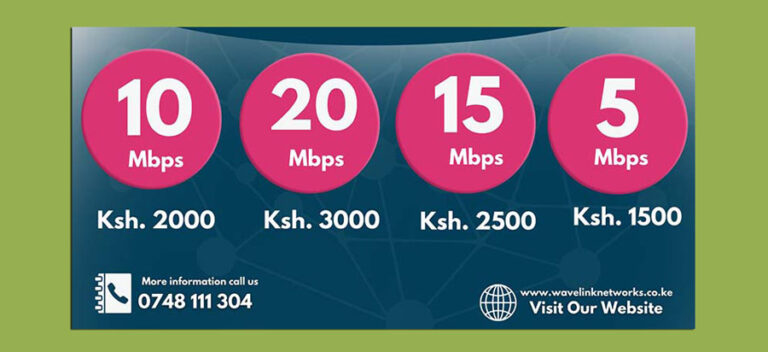
Insufficient internet plans fail to support streaming, gaming, or multiple users effectively.
-
Background apps, malware, and ISP throttling consume bandwidth and degrade performance.
Slow internet frustrates everyone in Kenya’s growing digital landscape, from Nairobi home offices to streaming setups. Understanding key factors helps optimize your connection for seamless browsing, video calls, and downloads. Wavelink Networks, your trusted ISP at wavelinknetworks.co.ke, breaks down these issues with practical fixes.
Network Overload from Multiple Devices
When smartphones, laptops, smart TVs, and IoT gadgets all connect simultaneously, they share your total bandwidth. Each device pulls data, fragmenting speeds—think 100Mbps split across 10 users drops to 10Mbps per device. Peak evening hours amplify this in shared neighborhoods. Solution: Prioritize traffic with QoS settings on your router or upgrade to higher-speed plans from Wavelink Networks.
Weak Wi-Fi Signals and Router Placement
Distance from the router, walls, and interference from microwaves or neighboring networks weaken signals. This forces adaptive downshifting from 300Mbps to 50Mbps, plus packet loss causing buffering. In Kenyan homes with concrete walls, signals fade fast. Reposition routers centrally, use Wi-Fi extenders, or switch to 5GHz bands for better penetration.
Outdated or Faulty Hardware
Old routers lack Wi-Fi 6 support, struggling with modern gigabit plans and multiple devices. Weak processors cause lag during 4K streaming or Zoom calls. Legacy modems cap at outdated speeds. Wavelink Networks recommends upgrading to Wi-Fi 6 routers for 2-4x faster performance and better device handling.
Cable and Wiring Problems
Frayed Ethernet cables, bent ports, or Cat5 (not Cat6) wiring degrade signals, causing 50% speed loss. Moisture in rainy seasons worsens this in Kenya. Inspect connections, replace damaged cables, and use shielded Cat6 for stability. For fiber optics, ensure clean terminations to avoid attenuation.
Internet Plan Limitations
Your plan’s download/upload speeds must match needs: 25Mbps for HD streaming, 100Mbps+ for 4K/gaming households. Insufficient tiers lead to constant throttling. Multiple users exacerbate this. Test real speeds via speedtest.net; if below promised, contact Wavelink for upgrades.
ISP and External Factors
Network congestion during peak times, ISP throttling for heavy users, or distant servers slow delivery. Malware secretly hogs bandwidth, while background updates (e.g., Windows) compete. Run antivirus scans, close unused apps, and choose ISPs like Wavelink with uncapped plans.
Software and Security Issues
Adware, viruses, or misconfigured browsers redirect traffic, inflating latency. Outdated OS/firmware exposes vulnerabilities. Update everything, use VPNs sparingly (they add overhead), and enable router firewalls.
Quick Optimization Tips
-
Restart router weekly to clear cache.
-
Use wired Ethernet for desktops/gaming.
-
Limit connected devices; guest networks help.
-
Monitor usage with router apps.
Wavelink Networks delivers reliable fiber internet across Kenya. Visit wavelinknetworks.co.ke for speed tests, upgrades, and expert support. Fast internet starts with the right setup—don’t let these factors hold you back.