Here’s a quick summary of the key causes and fixes for M-Pesa app buffering:
-
Poor internet connection: Weak Wi-Fi or mobile data signals lead to slow loading and buffering.
-
Network congestion: Peak hours overload servers, delaying app responses.
-
Outdated app or device: Old software versions or low storage cause glitches.
-
Too many devices: Home network overload from multiple users slows speeds.
-
Server-side issues: Safaricom maintenance or high transaction volumes create delays.
Understanding M-Pesa Buffering Basics
Internet buffering on the M-Pesa app happens when data loads slowly, causing spinning wheels or frozen screens during transactions like sending money or checking balances. This frustrates millions of Kenyan users relying on M-Pesa for daily payments. As a leading ISP in Nairobi, Wavelink Networks sees this often—it’s rarely the app alone but ties to your connection quality.
Buffering stems from mismatched data flow: the app needs steady bandwidth to fetch real-time info from Safaricom servers. When interrupted, it buffers to catch up. Common in urban areas like Nairobi where mobile data peaks during evenings.
Network-Related Causes
Weak signals top the list for M-Pesa buffering. If your Wi-Fi drops below 2-5 Mbps or mobile data flickers, the app struggles to sync. Test by switching networks—mobile data might buffer on Wi-Fi, or vice versa.
Peak usage times worsen it. Evenings (6-10 PM) see massive M-Pesa traffic, congesting towers and causing nationwide slowdowns. Safaricom handles millions of transactions daily, but surges from salary days or holidays overload systems.
Device and App Issues
Outdated devices amplify buffering. Old phones with low RAM or full storage can’t process app requests fast, mimicking slow internet. Android/iOS updates fix compatibility bugs; ignore them, and M-Pesa lags.
App cache buildup is sneaky—temporary files clog performance. Background apps hog bandwidth too, starving M-Pesa. Reddit users in Nairobi report sluggishness despite fast plans, often from multiple tabs open.
ISP and Broader Factors
Home networks with many devices (streaming, downloads) create internal congestion, throttling M-Pesa even on fiber. ISPs like Safaricom may throttle during peaks, prioritizing data hogs.
Latency matters more than speed for apps. High ping (over 100ms) from distant servers delays packets, causing endless buffers. In Kenya, rural-urban routing adds jitter.
Quick Fixes for Smoother M-Pesa Use
Restart your router/phone first—refreshes connections. Clear M-Pesa cache via settings, update the app from Play Store/App Store.
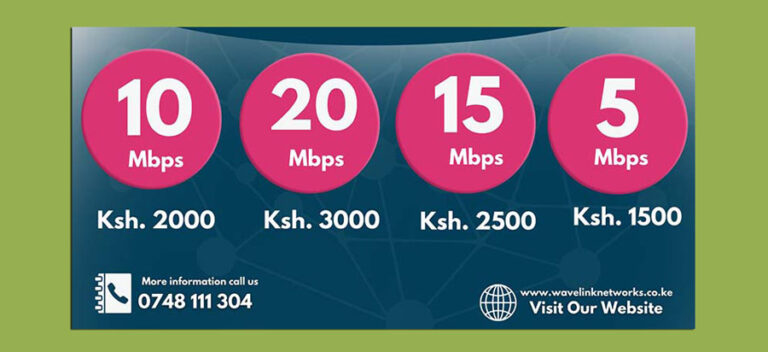
Switch to off-peak times or USSD (*334#) for no-internet fallbacks. Upgrade to fiber from Wavelink Networks for stable 50+ Mbps, beating mobile data peaks.
Monitor with speed tests; aim for low latency. Disable VPNs—they route traffic poorly.
Why Choose Wavelink for Reliable Connectivity
At Wavelink Networks, we tackle buffering head-on with uncapped fiber plans tailored for Kenyan businesses and homes. Our Nairobi coverage ensures low-latency M-Pesa access, even during peaks. Visit wavelinknetworks.co.ke for installs starting at affordable rates—no more transaction delays.